

How Do I Print Ingredients Labels?
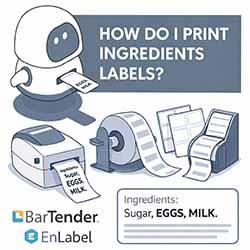
Printing ingredients labels might sound complicated, but with the right labels, printer, and software, it’s actually very straightforward. Whether you’re labelling food products for retail, markets, or direct-to-consumer sales, this guide will walk you through everything you need to know to print clear, compliant ingredients labels in-house.
What Must an Ingredients Label Include?
In the UK, food labels must clearly show:
- A full ingredients list in descending weight order
- Allergens emphasised (usually in bold)
- Product name
- Net weight or volume
- Best before or use-by date (where required)
- Business name and address
One of the most important requirements is allergen declaration. UK law requires allergens to stand out clearly from the rest of the text, which is why your label design software matters just as much as your printer.
Choosing the Right Label Format
Labels on Rolls
Labels on rolls are ideal for businesses printing regularly or in higher volumes. They’re commonly used with label printers and are perfect for:
- Food packaging
- Jars, bottles, and boxes
- Consistent, repeat labelling
Roll labels work seamlessly with label rewinders and label dispensers, helping you speed up production and keep labels neat and ready to apply.
Labels on A4 Sheets
Labels on A4 sheets are a great choice for smaller batches or businesses just getting started. You can print them using a standard desktop printer and peel them off by hand. They’re ideal for:
- Small runs
- Seasonal products
- Test batches or short-term labelling needs
Using Label Printers for Ingredients Labels
Dedicated label printers give you professional results and are designed specifically for printing on label rolls. Higher definition 300dpi models are generally better than 200dpi models for printing the small text usually required for ingredients labels. They offer:
- Crisp, easy-to-read text
- Reliable printing for small or large runs
- Compatibility with food-safe label materials
If you’re printing frequently, a label printer will save time and reduce printing costs compared to standard office printers.
Designing Compliant Labels with Bartender and EnLabel
To meet UK allergen regulations, your software must allow different text styles within the same ingredients line.
Both Bartender and EnLabel label design software make this easy by allowing:
- Bold and standard text in the same line
- Precise control over font size and layout
- Easy editing for ingredient changes
- Professional, compliant label designs
For example, you can list ingredients normally while highlighting allergens like MILK, EGGS, or WHEAT in bold — exactly as UK food labelling law requires.
Speed Things Up with Label Rewinders and Dispensers
If you’re printing labels on rolls, accessories can make a huge difference:
- Label rewinders automatically rewind printed labels into neat rolls, saving time and keeping labels organised.
- Label dispensers peel labels from the backing and present them ready to apply, speeding up manual application and improving efficiency.
These tools are especially useful for growing food businesses that want to scale without increasing labour.
Printing Your Ingredients Labels: Step by Step
1. Design your label in Bartender or EnLabel
2. Ensure allergens are clearly bolded
3. Choose labels on rolls or A4 sheets
4. Print using a label printer or desktop printer
5. Use a dispenser or rewinder if printing on rolls
6. Apply labels confidently, knowing they’re compliant
Final Thoughts
Printing ingredients labels doesn’t have to be difficult or expensive. With the right combination of labels on rolls, labels on A4 sheets, label printers, and professional design software, you can produce clear, compliant labels whenever you need them.
Add in label rewinders and dispensers, and you’ll have a fast, efficient labelling setup that grows with your business.
If you’d like help choosing the right labels or equipment, our team is always happy to help.