

Industrial Power Meets Desktop Convenience
In the high-stakes world of industrial logistics and manufacturing, downtime is not an option. The Citizen CL-S700 series is purpose-built to withstand the rigours of 24/7 operations while remaining remarkably easy to use. Whether you are managing a busy distribution hub or a production line, this series label printer provides the robust reliability your business demands.
Engineered for Demanding Environments
The CL-S700 series isn't just tough; it's smart. Its all-metal chassis is designed for longevity, while the unique Hi-Open™ case opens vertically, ensuring the printer's footprint never changes, even during media reloads in cramped workstations.
Key Industrial Features:
- High-Speed Output: The Citizen CL-S700DT delivers crisp 203dpi labels at speeds of up to 7 inches per second, keeping your shipping department ahead of schedule.
- Cross-Emulation Technology: Easily integrate into existing workflows with automatic switching between Zebra® and Datamax® languages.
- Front-Loading Design: All operations, from media loading to ribbon changes, are handled from the front of the machine, making it ideal for under-counter or shelf placement.
- Precision Control: Features a backlit LCD control panel for instant status updates and easy configuration without a PC.
Genuine parts and spares
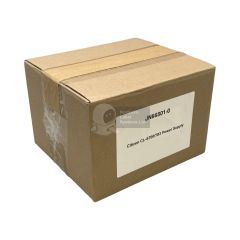
Replacing a power unit or a worn platen roller is a cost-effective way to extend the life of your fleet without the capital expenditure of a full replacement.
Citizen CL-S700 Series Frequently Asked Questions
Can the CL-S700 handle both Direct Thermal and Thermal Transfer printing for different label types?
Yes. The CL-S700 is a dual-mode printer. It can print Direct Thermal (no ribbon required) for short-term shipping labels and Thermal Transfer (using a ribbon) for long-lasting, durable industrial labels.
- Ribbon Capacity: It supports massive 450-meter ribbons, reducing downtime.
- ARCP™ Technology: It features "Active Ribbon Control & Positioning," which maintains tension to prevent ribbon wrinkling - a common issue when printing high-resolution barcodes on small labels.
Is the JN66801-0 internal power supply unit easy to install?
While the Citizen JN66801-0 is designed for durability, we recommend that installation be performed by a technically competent person or a service engineer to ensure the safety and longevity of your CL-S700 or CL-S703 printer.
What makes the Hi-Open™ case better for warehouses?
In many premises, space can be limited. Whilst most industrial printers have side-swinging lids that require an extra 20–30cm of clearance, the CL-S700’s lid opens vertically, meaning you can place it right next to other equipment without hindered access.
Does the CL-S700 support my existing Zebra (ZPL) or Datamax (DMX) labelling software?
Yes. One of the primary selling points for the CL-S700 is Citizen’s Cross-Emulation™ technology. This allows the printer to automatically sense and switch between Zebra® ZPL-II® and Datamax® I-Class® languages. This means you can add the CL-S700 into an existing fleet of competitive printers without having to rewrite your label formats or change your backend software.
How does the "R" model (CL-S700R) differ from the standard CL-S700?
The ‘R’ in CL-S700R stands for Rewinder. If your workflow requires you to print a large batch of labels and keep them on a neat roll (for use in a handheld applicator later) or if you need to peel labels automatically as they print, the CL-S700R is the correct choice. It includes an internal liner rewinder and a peeler as standard equipment. If you only need to ‘tear and go’ or cut labels individually, the standard CL-S700 (with an optional cutter) is the more cost-effective path.